
Daily logging
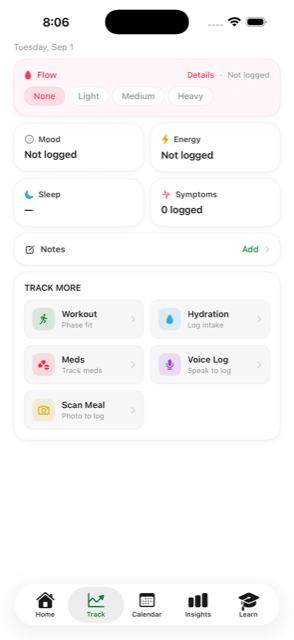
Flow, symptoms, mood, energy, sleep quality, hydration, medications and free-text notes — by tap or by voice.
Easeful logs your cycle, learns your patterns, and coaches you through each phase — without accounts, without servers, and without anyone else reading your data.
Coming soon to the App Store.
No accounts No servers No analytics or ad SDKs Nothing sold, ever
What Easeful does
Flow, symptoms, mood, energy, sleep quality, hydration, medications and free-text notes — by tap or by voice.
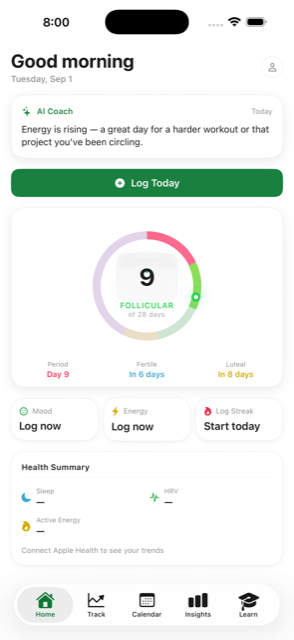
Period, ovulation and phase estimates built from your own history. As you log more cycles, Easeful replaces your onboarding guesses with the medians of your recent cycles — and widens its confidence honestly when data is thin.
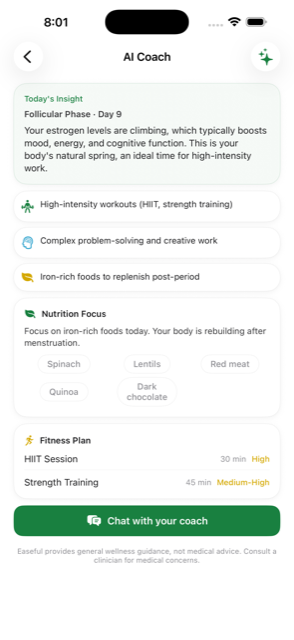
Daily guidance on food, movement and recovery for the phase you're in. On Apple Intelligence devices it runs Apple's on-device Foundation Models; elsewhere a built-in rules engine does the same job. Nothing reaches a remote AI service either way.
With your permission, reads sleep, HRV, resting heart rate, activity and wrist temperature to sharpen insights — and writes menstrual flow, plus State of Mind on iOS 18+, back to Health.
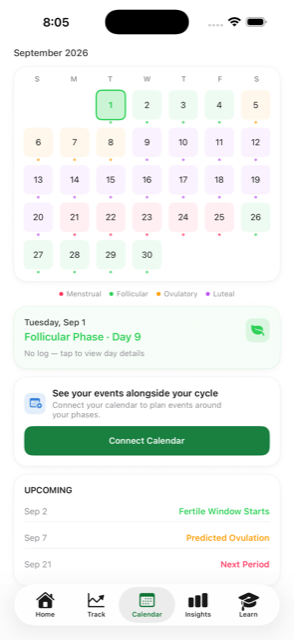
Current phase and next predicted period on your Home and Lock Screen. See your calendar alongside your cycle and move an event to a better-suited day when you choose to.
Photograph a meal and Easeful classifies it on device with Apple's Vision framework against a nutrition database bundled in the app. The same on-device text recognition reads hormone values off a lab report.
Generate a PDF summary of cycles, symptoms and trends for an appointment — or export everything as CSV or a JSON backup, any time.
Share a summary with a partner through your own iCloud account — field by field, opt-in, and off by default. It goes to your iCloud, not to us.
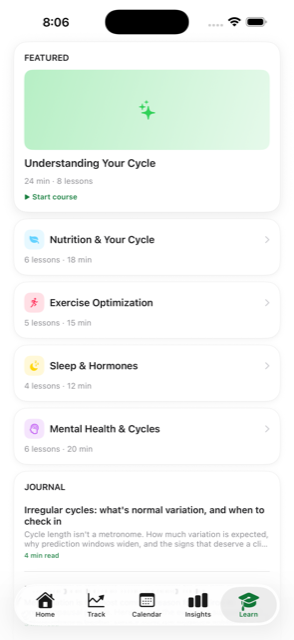
Short, sourced lessons on cycle phases, nutrition and training — included, not upsold.
Privacy, concretely
Easeful has no user accounts and operates no servers. There is not a single network call to an Easeful backend in the app, because there is no backend. That isn't a policy promise — it's how the app is built.
Your logs live in a local database protected by iOS device encryption.
Turn it on and your data syncs through your own iCloud private database, between your own devices. Apple's infrastructure, your account — not ours.
No analytics SDK, no advertising SDK, no third-party dependencies at all.
Health data is never used for advertising or marketing, and is never sold or shared with anyone.
Settings → Delete All Data wipes everything. Deleting the app does the same.
The full privacy policy spells out every category, with nothing hidden in vague language.
A look inside
Support
Email support@servesys.co and a human will read it.
Please include your iPhone model and iOS version, and describe what you were doing when the problem happened. Don't send screenshots containing health details you'd rather not share — a written description is plenty.
No. Easeful holds no copy of your data anywhere. If iCloud sync was switched on, your data restores with your iCloud account on a new device; otherwise it is gone with the device. That is the direct trade-off of a design with no servers.
Restore from an iPhone or iCloud backup, or turn on iCloud sync before switching. You can also export a JSON backup from Settings → Export Data and keep it somewhere safe.
No. Easeful is a wellness and education app — not a medical device, and not a contraceptive. Predictions are estimates from your own logged history. See the terms of use.
No. On devices that support it, coaching runs on Apple's on-device Foundation Models. Everywhere else, a built-in rules engine produces the same kind of guidance. Neither sends anything off your device.
Easeful Pro adds advanced insights and the full coaching feature set. Core tracking, predictions and the learning library work without it. Subscriptions are billed through your Apple Account and can be cancelled any time in Settings → Apple Account → Subscriptions.
Settings → Delete All Data removes every log from the device. Deleting the app removes the database with it. If you had iCloud sync on, also remove Easeful's data from your iCloud account in iOS Settings.